Your support team answers the same question on WhatsApp, Instagram, and email before lunch. That fragmentation costs you first response time, and it costs your agents patience. Support work is a discipline with its own definitions, channels, and metrics, not a side task anyone can absorb. A fuller comparison of Whatsapp Business API is worth reading alongside this.
This article breaks down what customer support actually means for the people doing it: how it differs from customer service and customer experience, which channels modern teams manage, and which KPIs reveal whether your queue is healthy. You will also see how AI fits into real workflows and what to evaluate before choosing a platform for a growing team.
What Customer Support Really Means for Support Teams
Customer support is often confused with general customer service, but for support teams, it represents a distinct set of responsibilities centered on resolving specific issues and maintaining product functionality. It is the technical and problem-solving arm of a business, separate from sales, billing, or general inquiry handling.
Support teams troubleshoot problems, answer how-to questions, and manage incidents that interrupt a customer's ability to use a product or service. When a login fails, a file will not upload, or an integration stops syncing, the support team is the group expected to diagnose and fix it.
Most support work is reactive, triggered when a customer reports a problem through live chat, email support, phone support, or a self-service portal. A growing share is proactive, where monitoring tools and automation flag anomalies before a customer notices, prompting outreach or a status update.
This blend of reactive and proactive work shapes how teams staff their help desk, set a service level agreement (SLA), and measure success through metrics like first response time, average handle time, and customer satisfaction (CSAT). The sections below break down the definitions, responsibilities, and boundaries that define the role.
Core Definitions and Team Responsibilities
At its core, customer support involves a team of agents who handle incoming queries via various channels, aiming to resolve issues efficiently and maintain customer satisfaction. That work depends on a shared vocabulary that keeps a support team aligned.
- Help desk: a centralized resource where requests are received, tracked, and routed to the right person.
- Support agent: the frontline responder who communicates with customers and works the issue.
- Ticket: the record of a customer issue, including history, status, and resolution notes.
- Escalation: routing a complex or high-impact issue to a higher tier or specialist group.
Typical responsibilities include responding to inquiries, documenting solutions, escalating when necessary, and following up to confirm the fix held. Common examples range from resetting passwords and processing returns to diagnosing software bugs and reporting them to engineering.
Many teams organize this work through tiered support. Tier 1 handles common, well-documented requests. Tier 2 takes on deeper troubleshooting that needs product knowledge. Tier 3, sometimes called the service desk or engineering liaison, addresses root cause analysis and code-level defects.
Responsibilities shift across tiers. A tier 1 agent may resolve a billing question in minutes, while a tier 2 specialist reproduces a bug and a tier 3 engineer ships a patch. Clear escalation paths, supported by a ticketing system and CRM, keep handoffs from stalling.
Support vs. Customer Service vs. Customer Experience
While customer service encompasses all interactions before, during, and after a purchase, customer support is a specialized function focused on resolving product or service issues. The two overlap, but they are not interchangeable, and both feed into the broader idea of customer experience.
| Term | Scope | Example |
|---|---|---|
| Customer service | Broad interactions across the customer journey | Answering a billing question or processing an order |
| Customer support | Technical, problem-centric resolution | Troubleshooting a software error or fixing a login failure |
| Customer experience | Holistic perception across every touchpoint | How easy, fast, and pleasant the whole relationship feels |
A customer service agent might handle a refund or update an address. A support agent, by contrast, diagnoses why a feature stopped working and walks the customer through a fix or escalates it for a patch.
Customer experience (CX) is the sum of all those moments. Support contributes to CX through timely resolutions and positive interactions, which is why teams track CSAT, Net Promoter Score, and customer effort score alongside operational metrics.
Because the boundaries blur, support teams often collaborate with customer service and CX teams. Shared documentation, a knowledge base, and a connected ticketing system help ensure a customer never has to repeat their story when an issue moves between groups. Omnichannel support, live chat, and AI support tools all aim at the same goal: a consistent experience no matter where the conversation starts.
The Channels Modern Support Teams Manage
Today's support teams juggle multiple communication channels, from traditional phone and email to social messaging apps and website widgets, each with its own expectations and workflows. What was once a phone-first or email-first operation has become a genuinely omnichannel support function, and that shift is driven largely by where customers already spend their time.
Customer preferences have moved decisively toward messaging apps. People who message friends and family on WhatsApp or Instagram throughout the day naturally expect the same immediacy when they contact a brand. Fast, seamless interactions on familiar platforms now set the baseline, not the exception.
Each channel carries distinct strengths and constraints. A support team managing all of them must understand what each one is good for before deciding how to staff and route work.
- Phone support for urgent or complex issues that need real-time back and forth
- Email support for detailed requests, documentation, and formal records
- Live chat for quick pre-purchase questions and in-session help
- WhatsApp for order updates and short conversational queries
- Facebook Messenger for social commerce and community-driven questions
- Instagram DM for brand interactions and visual troubleshooting
- Web widgets for real-time assistance while a customer is on the site
Managing these channels in isolation creates blind spots, duplicated effort, and inconsistent answers. The sections below look at how messaging channels work in practice and why unification matters for first response time and overall customer satisfaction.
WhatsApp, Messenger, Instagram DM, and Web Widget Support
Messaging apps like WhatsApp, Facebook Messenger, and Instagram DM have become primary support channels, offering immediacy and conversational convenience that email or phone often lack. Each one rewards a slightly different approach, and treating them as interchangeable usually shows in the results.
WhatsApp works best for quick queries and transactional updates. Order confirmations, delivery status, and short account questions fit the medium naturally, since customers already use the app for similar personal messages. Support agents should keep replies concise and use the channel's read and delivery signals to judge urgency.
Facebook Messenger tends to carry social commerce support. Customers ask about products they saw in an ad or a post, which means agents often need context from the marketing side of the business. Instagram DM leans toward brand interactions and visual troubleshooting. A customer can send a photo of a damaged item or a screenshot of an error, and the agent can respond with an image or short video that resolves the issue faster than text alone.
Web widgets serve a different purpose: real-time assistance while someone is actively browsing. A visitor stuck on a checkout page or a signup form has high intent and low patience, so widget conversations should route to agents quickly and connect to the knowledge base or self-service portal when a canned answer will do.
All four channels support rich media, including images, video, and documents, and each can be partly handled by a chatbot or virtual assistant for common questions. Customers on messaging channels often expect faster responses than most email queues allow. Without a unified approach, conversations fragment across apps, agents lose history, and customers end up repeating themselves.
Why Unified Inboxes Reduce Response Times
A unified inbox consolidates messages from all channels into a single interface, eliminating the need for agents to switch between apps and reducing the risk of missed or delayed responses. WhatsApp, Messenger, Instagram, web widget, email, and other sources all appear in one dashboard, usually alongside CRM data and open ticket history.
The first benefit is speed. When every incoming query lands in the same queue, agents see new conversations the moment they arrive instead of checking four or five tools in rotation. Teams that adopt unified inboxes commonly report faster first response times. The gain comes less from working harder and more from removing the gaps between tools.
The second benefit is context. A full customer history, including past tickets, purchases, and prior conversations on other channels, lets an agent resolve an issue without asking the customer to start over. That directly lowers the customer effort score and supports stronger CSAT and Net Promoter Score results over time.
Routing rules and automation build on that foundation. A billing question can go straight to a specialist queue, while a password reset can be handled by a virtual assistant before a human ever sees it. This shortens average handle time and keeps tier 1 agents focused on work that genuinely needs them.
Most unified inboxes also include collaboration features such as internal notes, @mentions, and shared views. A support agent can flag a tricky case for a tier 2 colleague without leaving the conversation, which keeps escalation fast and preserves the thread for everyone involved. The result is a support team that behaves like one unit rather than several disconnected desks.
Key Metrics and KPIs Support Teams Should Track
To gauge support effectiveness, teams must track a core set of metrics that reflect responsiveness, efficiency, and customer sentiment. Without this data, decisions about staffing, training, and tooling rely on guesswork rather than evidence.
Data-driven support management turns raw ticket activity into insight. A help desk that logs every interaction can surface patterns that manual observation misses, such as recurring issues, slow handoffs, or overloaded queues. These patterns point directly to bottlenecks and areas for improvement.
Support leaders typically monitor a standard set of indicators:
- First response time (FRT): how quickly a customer receives an initial reply
- Resolution time: total time from first message to issue closure
- Average handle time (AHT): average duration of a single interaction
- Customer satisfaction (CSAT): survey-based score of a specific interaction
- Net Promoter Score (NPS): likelihood customers would recommend the service
- Customer effort score (CES): how easy it was to get an issue resolved
- Service level agreement (SLA) compliance: percentage of tickets handled within agreed targets
Each metric tells a different part of the story. FRT and resolution time reflect speed, CSAT and NPS capture sentiment, and CES reveals friction. SLA compliance ties them together by holding the support team to commitments made to customers.
Tracking these numbers consistently allows a support team to spot declining trends early, justify changes to workflows, and measure whether those changes actually helped. The subsections below explore the most important metrics in detail and show how automation data can sharpen performance further.
First Response Time, Resolution Time, and CSAT
First response time measures how quickly an agent acknowledges a customer's query, while resolution time tracks the total time to fully resolve the issue. Both are critical for customer satisfaction, and CSAT captures how the customer felt about the interaction overall.
FRT is calculated from the moment a message arrives to the first meaningful reply from a support agent. Resolution time runs from that same first message until the ticket is closed. CSAT comes from a short survey, typically rated on a scale of one to five, sent after the interaction ends.
Benchmarks vary by channel. For email support, an FRT under one hour is generally considered solid. For live chat, customers expect a reply within minutes. A CSAT score above 80 percent is widely viewed as a good result, though the right target depends on industry and customer expectations.
These metrics interrelate in ways that matter. A fast FRT sets a positive tone, but a slow resolution can still frustrate the customer. Conversely, a slightly slower first reply may be forgiven if the issue is resolved quickly and correctly.
Practical ways to improve each metric:
- Use canned responses and templates to speed up first replies without sounding robotic
- Build a strong knowledge base and FAQ so agents resolve issues faster and customers self-serve
- Route tickets by topic and complexity through tiered support to avoid unnecessary escalations
- Review CSAT comments for recurring complaints and feed them into training
Watching FRT, resolution time, and CSAT together gives a balanced view. Optimizing one at the expense of the others rarely produces lasting gains.
Using Automation Data to Improve Team Performance
Automation tools generate a wealth of data, from chatbot containment rates to escalation triggers, that can be analyzed to optimize human agent performance and overall support efficiency. A chatbot or virtual assistant handles routine queries and logs exactly what it resolved, what it could not, and where customers asked for a person.
Two metrics stand out in this context. Containment rate is the percentage of chats resolved without human intervention. Automation-assisted AHT measures how handle time changes when agents work alongside AI support tools, such as suggested replies or auto-filled ticket fields.
This data informs decisions in several practical ways:
- If a chatbot resolves a large share of password reset queries, agents can focus on complex issues that need judgment
- Common query types reveal where the knowledge base or FAQ is thin and needs new articles
- Frequent handoff points show where bot flows confuse customers and should be rewritten
- Repeat contacts signal unresolved root causes worth investigating through problem management
Automation data also supports staffing. If chat volume spikes at predictable times, leaders can schedule agents accordingly rather than reacting after queues build. Identifying knowledge gaps from failed bot conversations turns training into a targeted exercise instead of a generic one.
Combining automation data with human performance metrics provides a holistic view. Containment rate alongside CSAT shows whether deflection is helping customers or simply pushing them away. Resolution time alongside escalation triggers reveals whether the ticketing system routes issues to the right tier the first time. Used together, these signals help a support team refine bot flows, close knowledge gaps, and reduce repeat contacts, all of which lift the customer experience across every channel.
How AI and Automation Fit Into Support Workflows
AI and automation are no longer futuristic concepts; they are integral to modern support workflows, handling routine inquiries, routing tickets, and providing agents with real-time assistance. A support team that once spent hours triaging a shared inbox can now rely on automation to classify, tag, and assign incoming requests the moment they arrive.
The most common entry point is the chatbot, which handles repetitive questions around order status, business hours, or password resets without tying up a human. A virtual assistant works differently, sitting alongside the support agent and surfacing relevant knowledge base articles, past tickets, or customer history during a live conversation.
Automation also reshapes the queue itself. Rules and machine learning models can categorize tickets by topic, route them to the right tier, and flag urgent issues before a person ever opens them. Sentiment analysis adds another layer, detecting frustration in a customer's wording and pushing that conversation to the front of the line.
The payoff shows up in the metrics support leaders track most closely:
- Reduced workload as bots absorb high-volume, low-complexity requests
- Faster first response time because routing and greetings happen instantly
- Consistent answers since automated replies pull from approved knowledge sources
- Better prioritization when sentiment and urgency signals drive queue order
None of this removes the support agent from the picture. It shifts the role toward the work that genuinely needs a person: complex troubleshooting, escalation handling, and conversations where empathy matters more than speed. The sections below look at how chatbots and human handoff work in practice, then at a platform built around both.
Chatbots, Bot Builders, and Human Handoff
Chatbots handle initial customer queries, but seamless human handoff is crucial when automation reaches its limits or the issue requires empathy and complex problem-solving. Understanding the two main chatbot types helps a support team choose the right fit for each channel.
Rule-based chatbots follow decision trees. They work well for predictable requests like checking an order, booking an appointment, or answering an FAQ, and they are simple to audit because every path is mapped in advance. AI-powered chatbots use natural language understanding to interpret free-form messages, which makes them more flexible but also harder to predict without careful testing and monitoring.
Bot builders have made both types far more accessible. A drag-and-drop interface lets non-technical support staff design conversation flows, add branching logic, and publish changes without writing code or waiting on an engineering sprint. This matters because the people closest to customer questions are usually the ones who know which flows to build.
Human handoff deserves as much design attention as the bot itself. A few practices keep the transition smooth:
- Clear triggers: the customer asks for an agent, sentiment turns negative, or the bot fails to understand twice in a row
- Context transfer: the full chat history, collected details, and any account information pass to the agent automatically
- Warm transfers: the agent sees a short summary of what was already tried, so the customer never repeats themselves
Consider two common patterns. A bot qualifies a lead by collecting budget, timeline, and use case, then routes the conversation to a sales representative with those answers attached. In a technical scenario, a bot walks a customer through basic troubleshooting steps, and if the problem persists, escalates to tier 2 with the steps already attempted logged in the ticket.
Well-designed handoffs protect customer satisfaction and customer effort score because the customer experiences one continuous conversation rather than a reset. Poor handoffs do the opposite, forcing people to restate their problem and eroding trust in the automated layer.
Com.bot's Unified Platform for Multi-Channel Support Teams
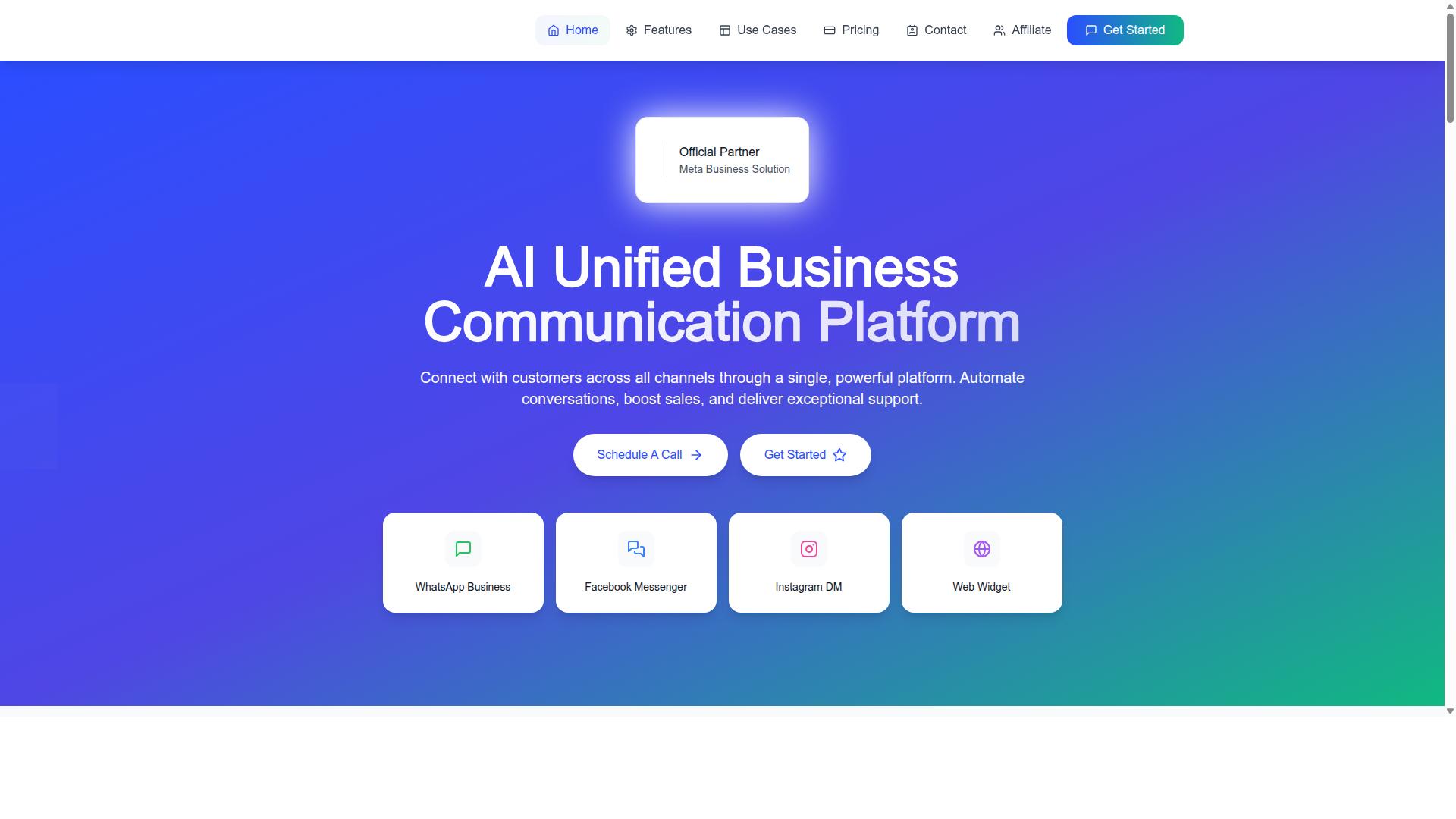
Com.bot exemplifies how an AI-powered unified platform can centralize multi-channel support, combining WhatsApp, Messenger, Instagram, and web widget conversations into a single agent workspace. That single view matters for omnichannel support, since agents no longer switch between tabs or lose track of a conversation that started on one channel and continued on another.
The platform brings together several capabilities that map directly to the workflow challenges described above:
- Unified Team Inbox for managing conversations across channels in one place
- Visual Bot Builder with a drag-and-drop interface for designing chatbot flows
- Smart Chatbots for handling routine inquiries automatically
- Multi-Channel Support across WhatsApp, Facebook, and Instagram
- Team Collaboration with role-based access for larger support organizations
- Automation Builder with 1000+ integrations to connect support with other systems
Com.bot also supports WhatsApp Business API integration and Native Payments for WhatsApp transactions, which lets teams handle payment collection inside the same conversation rather than sending customers elsewhere. Bulk Messaging, Order Updates, and Notifications cover the outbound side of support communication.
Com.bot is an official Meta Business Partner, serving 23,000+ active customers and processing 25M+ messages per day. It offers enterprise security and is used by government bodies and enterprises, which speaks to the scale and compliance needs of larger support operations. For teams working through ticket resolution across time zones, the combination of automation and structured handoff helps reduce response times while keeping a human available for the conversations that need one.
Building and Scaling a Support Team
Scaling a support team requires careful planning around hiring, training, and selecting the right tools to maintain quality as volume grows. Growth rarely happens in a straight line. A product launch, a seasonal spike, or a new market can double ticket volume almost overnight, and teams that are unprepared feel it immediately in first response time and customer satisfaction.
The core tension is balancing three goals that pull against each other: speed, consistency, and cost. Adding headcount solves one problem but creates new ones around onboarding, supervision, and tooling. Cutting corners on any of these shows up later as higher turnover or lower CSAT.
Before making any hiring decisions, teams should understand their current baseline. That means tracking ticket volume per agent, average handle time, and backlog trends over several weeks. These numbers reveal whether the team is genuinely understaffed or simply working through inefficient processes.
Timing matters as much as volume. A common guideline is to hire when agents consistently operate near full capacity for an extended period, or when response times begin to slip against your service level agreement. Waiting until the team is overwhelmed makes onboarding harder because there is no slack to absorb training time.
Cost management deserves equal attention. Options range from tiered support models and self-service deflection to automation that handles repetitive requests. Each approach has tradeoffs, and the right mix depends on ticket complexity, customer expectations, and the resources available.
Hiring, Training, and Tooling Decisions
When hiring support agents, look for empathy, problem-solving skills, and adaptability, then provide structured training on products, tools, and communication best practices. These qualities are difficult to teach, while product knowledge can be learned.
Behavioral interviews work well here. Ask candidates to describe a time they handled an angry customer or resolved an ambiguous problem. Their answers reveal how they think under pressure far better than hypothetical questions.
Because so much support happens in writing, test written communication directly. A short exercise asking candidates to explain a technical issue in plain language shows whether they can be clear, warm, and concise. For technical products, add a basic aptitude assessment covering the systems agents will actually use.
A structured training program reduces ramp time and turnover. A workable sequence looks like this:
- Week 1: Product knowledge, company values, and customer expectations
- Week 2: Tool training on the ticketing system and CRM
- Week 3: Shadowing experienced agents on live tickets
- Weeks 4 and beyond: Gradual onboarding with a mentor reviewing work
Tooling decisions should follow the workflow, not lead it. A help desk with automation handles routing and prioritization. A CRM gives agents customer history so they are not asking the same questions twice. A knowledge base supports both self-service and internal reference.
Investing in training pays off in retention. Agents who feel prepared stay longer, and experienced agents resolve tickets faster and more consistently, which lifts CSAT over time.
Choosing a Support Platform: What to Evaluate
Evaluating a support platform involves assessing channel coverage, automation capabilities, integration options, scalability, and total cost of ownership. The right choice depends on where customers actually reach out and how complex those conversations are.
Channel coverage comes first. Customers may expect email support, live chat, phone, social media, or messaging apps. An omnichannel support platform keeps those conversations in one place so agents are not juggling separate inboxes.
Automation is the second major consideration. Look at routing rules, canned responses, and whether a chatbot or virtual assistant can deflect common questions without frustrating customers. Automation should reduce effort, not add friction.
Integration matters just as much. The platform should connect with your CRM, e-commerce system, and any internal tools agents rely on. Poor integration forces manual lookups and slows ticket resolution.
Reporting and analytics round out the picture. Teams need visibility into first response time, average handle time, backlog, and satisfaction scores. Without reliable reporting, improvement efforts become guesswork.
Security and pricing deserve careful review. Check data handling practices, access controls, and compliance posture. On pricing, look beyond the headline rate to seats, automation limits, and overage fees.
A practical checklist for decision-makers:
- Does it support every channel your customers use?
- Can automation handle routing and repetitive requests?
- Does it work together with your CRM and other core systems?
- Are the reports useful for tracking SLAs and quality?
- Does it meet your security and compliance requirements?
- Can it scale as volume and headcount grow?
Always use free trials and demos before committing. Testing with real workflows reveals more than any sales presentation. Platforms in this category, including Com.bot, are worth comparing against these criteria alongside other options.
Recommended Resources: