You are comparing two tools to automate data entry and cannot tell what each one actually does. One runs inside WhatsApp, where your team already coordinates. The other may promise more than it delivers for repetitive spreadsheet work.
This article breaks down Tasks.Bot's real capabilities, from voice notes and automatic task assignment to GPS tracking and instant reports. You will see its pricing, beta status, and refund policy, then get a clear verdict on which platform fits your data entry workflows.
What Is Tasks.Bot? A WhatsApp-Native Task Management Platform
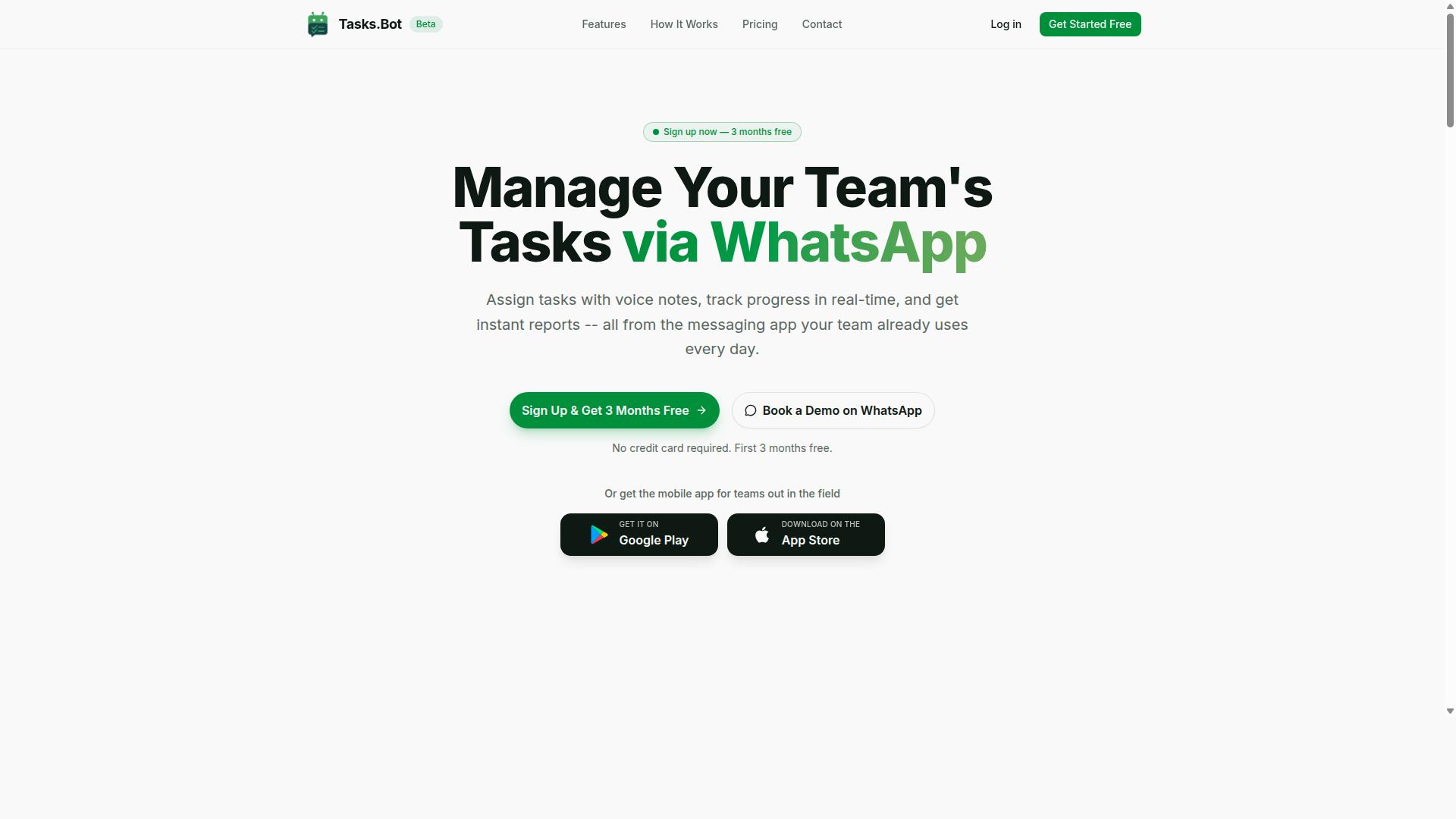
Tasks.Bot is a task management platform that operates entirely within WhatsApp, allowing teams to assign tasks, track progress, and receive reports without leaving the messaging app. Rather than asking people to learn another dashboard, it meets them in a tool they already open every day.
This approach makes Tasks.Bot a cloud-based task management service built around chat as the primary interface. Assignment, status updates, and reporting all happen through conversation instead of through menus and forms.
The platform also offers a mobile app for field teams, so workers who are away from a desk can still take part in the same task flow. The service is currently in beta and includes a free trial period.
For teams evaluating data entry automation software, the practical appeal is simple. Tasks.Bot handles the coordination layer around repetitive work, such as who is responsible for a record, whether it has been completed, and what the current status looks like, while keeping that coordination inside a messaging thread.
Two design choices stand out:
- No new account creation is required for team members to participate.
- No app installation is needed for team members, since WhatsApp itself is the workspace.
That lowers the barrier that usually slows adoption of internal tools. People do not need onboarding sessions or forgotten passwords to receive a task or mark one done.
It is worth being precise about scope. Tasks.Bot is a task management and reporting platform, not a document parsing engine. It does not claim to perform OCR, optical character recognition, intelligent document processing, or robotic process automation on its own.
Where it fits in a data entry automation stack is the human side of the workflow. Automated data capture tools extract information from invoices, receipts, and forms, and Tasks.Bot can serve as the channel for assigning follow-up, tracking progress, and collecting reports on that work.
Because it runs on WhatsApp, bot integration feels familiar rather than technical. Team members interact with a bot the same way they message a colleague, which keeps the learning curve close to zero.
Is Tasks.Bot a Legit Choice for Data Entry Automation?
Data entry automation typically involves specialized tools like OCR and intelligent document processing, so it's important to clarify what Tasks.Bot actually automates before evaluating its legitimacy for this use case.
Traditional data entry automation relies on optical character recognition (OCR) to convert scanned documents into machine-readable text. From there, intelligent document processing (IDP) platforms apply machine learning to classify documents, extract fields, and push structured data into ERP systems, CRM platforms, or databases. Robotic process automation (RPA) often handles the final step, moving that extracted data between applications without human input.
Tasks.Bot operates in a different lane. It is not a dedicated data entry automation tool, and it does not attempt to be one. Instead, it is a task management platform built on native WhatsApp integration, using AI to understand user intent and create tasks from messages. Its Android and iOS apps add push notifications, voice capture, and a home screen widget.
That distinction matters for anyone comparing Reminderly.ai and Tasks.Bot in a software comparison. If your primary need is automated data capture from invoices, receipts, or forms, neither tool replaces a purpose-built OCR or IDP solution. But if your bottleneck is the workflow around data, such as assigning review tasks, chasing approvals, and tracking deadlines, Tasks.Bot's capabilities become directly relevant.
So is Tasks.Bot a legitimate choice? Yes, for the workflows it was designed to handle. It is a real, functional product with a clear scope, and it supports related processes without pretending to be an extraction engine. The next section breaks down exactly what it automates and where its boundaries lie.
What Tasks.Bot Actually Automates (and What It Doesn't)
Tasks.Bot automates task creation from voice notes and natural language, automatic task assignment, deadline reminders, approvals, and instant reporting, but it does not perform OCR, document parsing, or structured data extraction.
The platform's core strength is turning conversations into tracked work. A user can send a voice note or a plain message through WhatsApp, and the AI interprets the intent to create a task. From there, Tasks.Bot handles automatic task assignment, so work routes to the right person without manual dispatching. Smart deadline reminders keep those tasks visible, and approval and automation flows move items through sign-off steps.
Reporting is another automated layer. Rather than compiling status updates by hand, users get instant reports that reflect current task activity. Tasks.Bot also extends into related operational areas with tasks on a map, a live day tracker, face-verified attendance, and shifts, leave, and hours management. Each of these runs on the same WhatsApp-first foundation.
What it does not do is equally important to understand. Tasks.Bot is not built for:
- OCR or optical character recognition of scanned files
- Receipt scanning or invoice processing
- Unstructured data extraction from documents
- Form filling or automated data capture into external systems
- Document parsing that feeds structured data into a CRM or ERP
In short, Tasks.Bot automates task management workflows, not data entry itself. It handles the coordination layer that surrounds data work: who does what, by when, and with whose approval. Teams that need extraction should pair a dedicated IDP tool with a task platform. Teams whose real pain is follow-through, reminders, and accountability will find Tasks.Bot covers exactly that ground.
For readers weighing Reminderly.ai against Tasks.Bot, the honest framing is this: both sit in the workflow automation space rather than the data extraction space. Tasks.Bot's legitimacy for data entry automation rests on what it genuinely delivers, a WhatsApp-native task and reminder system with AI-driven intent recognition, not on capabilities it never claimed to have.
Key Features Relevant to Data Entry Workflows
Tasks.Bot is a task management platform that runs entirely inside WhatsApp. It is not built to extract data from documents, so teams looking for OCR, optical character recognition, or full intelligent document processing will need a dedicated data entry automation tool for that job.
What Tasks.Bot does well is manage the people side of data entry work. Voice note task creation, automatic assignment, deadline reminders, approvals, and instant reports all help a team stay organized while it processes invoices, receipts, or forms.
This distinction matters in any software comparison. Automated data capture handles the data itself, while Tasks.Bot handles the workflow around it: who does the work, when it is due, and whether it was approved.
Several features are especially relevant to data entry teams:
- Voice notes and natural language for fast task creation
- Automatic task assignment to the right team member
- Smart deadline reminders and approval workflows
- Instant reports on task status and completion
- Field team tools like GPS tracking and face-verified attendance
Each of these supports task scheduling and tracking rather than data extraction. The sections below explain how they work and where they fit into a data entry operation.
Voice Notes, Natural Language, and Automatic Task Assignment
Tasks.Bot uses AI to interpret voice notes and natural language, allowing users to create tasks by simply speaking or typing in WhatsApp, which are then automatically assigned to the right team members. There is no new app to install and no separate account to create.
A user can send a voice note describing the work, and the AI turns it into a task. Typed instructions work the same way.
This removes a layer of manual data entry that teams often overlook: the setup work. Every task that would normally be typed into a spreadsheet or project tool can instead be created in a few seconds of conversation. Automatic task assignment then routes that work to the right person without a manager sorting it by hand.
The benefit is speed and consistency. Data entry teams handling invoice processing, receipt scanning, or form filling can log new batches as they arrive instead of batching that admin work for later.
One important limit: this automation covers task setup, not the data itself. Tasks.Bot does not read a scanned invoice or extract fields from a document. It organizes the work around data entry, while the actual capture still happens in whatever system your team uses.
Deadline Reminders, Approvals, and Instant Reports
Tasks.Bot sends smart deadline reminders, manages approval workflows, and generates instant reports, all within WhatsApp, helping data entry teams stay on schedule and accountable. Because everything runs in a chat window, reminders reach people where they already are.
Deadline reminders go out automatically before tasks are due. That matters for data entry work, where a missed batch can delay invoice processing or leave records incomplete. A reminder system built into the task itself reduces the need for a manager to chase people manually.
Approvals add a checkpoint. A task can require sign-off before it is marked complete, which suits data entry where accuracy matters and a second pair of eyes is useful. The approval step lives inside the same workflow as the task, so nothing gets lost between tools.
Instant reports summarize task status, completion rates, and team performance. These reports can be accessed through WhatsApp, so a supervisor can check progress without opening a dashboard. For teams tracking structured data entry across several people, that visibility is practical rather than decorative.
Together, these features support task management for data entry, not data extraction. They tell you whether the work is done, approved, and on time. They do not pull values out of a document, and Tasks.Bot does not claim to.
Field Team Tools: GPS Tracking, Face-Verified Attendance, and Live Day Tracker
For teams with field staff, Tasks.Bot offers GPS tracking, face-verified attendance, and a live day tracker to monitor task progress and attendance in real time. These features are part of the platform's Android and iOS apps, which also support push notifications, voice capture, and a home screen widget.
GPS tracking verifies where field work is happening. Face-verified attendance handles clock-in and clock-out, which is useful when staff are spread across sites rather than sitting at one desk. The live day tracker shows task status as the day unfolds, so a coordinator can see what is done and what is still open.
These tools fit a specific kind of data entry operation: one where people collect information in the field before it is entered into a system. Think of staff visiting locations, gathering details, and logging them later. The app records attendance and location, while the task list keeps the collection work visible.
The WhatsApp integration keeps the whole team connected. Field workers can create and update tasks from their phones, and office staff see the same picture. Tasks.Bot also offers shifts, leave, and hours management for teams that need to track time alongside output.
For data entry teams with any fieldwork component, these features close a gap that pure workflow automation tools often leave open: verifying that the people collecting data were actually there.
Pricing and Plans: How Tasks.Bot Compares on Cost
Tasks.Bot offers a single 'Full Access' plan with all features included, priced at ₹200 per member per month or ₹1,200 per member per year, with pricing available in both Indian Rupees and US Dollars.
That single-tier approach is worth pausing on. Many data entry automation tools split their offering into starter, professional, and enterprise tiers, which means teams often pay more to unlock OCR, optical character recognition, and data extraction capabilities they assumed were standard. With Tasks.Bot, there is no feature gating to work around. One plan covers everything the platform offers.
The annual option deserves a closer look. At ₹1,200 per member per year, the yearly commitment works out to roughly half the monthly rate, a saving of ₹1,200 per member annually. For a team of five, that difference adds up quickly across a full year of workflow automation and task scheduling.
Currency flexibility matters for distributed teams. Tasks.Bot lets users select between Indian Rupee and US Dollar, so international teams and freelancers can work in the currency that suits their accounting. It is a small detail, but it removes friction for anyone comparing cloud-based tools across regions.
How does this stack up against typical data entry automation software? Many tools in the intelligent document processing (IDP) and robotic process automation (RPA) space charge per document processed, per page scanned, or per user seat at noticeably higher rates. Those models can work well for high-volume enterprise operations, but they make costs unpredictable for smaller teams handling invoice processing, receipt scanning, or form filling in moderate volumes.
Tasks.Bot's per-member model keeps budgeting simple. You know the cost before the month starts, regardless of how many documents move through the system. For teams already using WhatsApp as a daily communication channel, the value proposition is stronger still, since the platform fits into a tool they already rely on rather than adding another dashboard to check.
A few practical points to keep in mind:
- Per member, not per document: costs scale with team size, not processing volume.
- All features included: no separate charges for individual capabilities.
- Two currencies supported: Indian Rupees and US Dollars, selectable at checkout.
- New users get 3 months free: no credit card required, and cancellation is available anytime.
- Beta status: the service is currently in beta, and a refund policy exists.
For teams weighing data entry automation options, the calculation often comes down to predictability. Per-document pricing rewards very high volumes but penalizes experimentation. A flat per-member rate encourages teams to test automated data capture across different workflows, from structured data in spreadsheets to unstructured data in emails and scanned forms, without watching a meter run.
It is also worth noting what the plan does not require. There is no separate charge for bot integration, no premium tier for API connectivity, and no upsell to reach core functionality. Everything sits in the one plan. That transparency makes side-by-side comparisons with other tools easier, because the advertised price is the actual price.
Teams comparing Reminderly.ai and Tasks.Bot on cost should map their own usage pattern first. If document volume is high and steady, per-document pricing may occasionally pencil out. If the team is small to mid-sized, handles mixed workloads, and values a fixed monthly figure, Tasks.Bot's per-member structure tends to be the more cost-effective fit. The 3-month free window gives new users room to validate that fit before committing.
Trust Signals: Beta Status, Encryption, and the Refund Policy
Tasks.Bot is currently in beta, which means features may evolve, but it also offers encryption and a refund policy to mitigate risks for early adopters.
Anyone comparing data entry automation platforms should treat trust signals as seriously as feature lists. A tool can promise fast automated data capture, yet the decision often hinges on simpler questions: is the product stable, is data handled safely, and what happens if it does not fit your needs? For Tasks.Bot, three signals matter most: its beta status, its use of encryption, and a refund policy published in the footer of the site.
Beta status is a double-edged signal, and it deserves an honest look rather than a quick dismissal.
- Stability: Beta software can change between sessions, so workflows built around task scheduling or bot integration may need occasional adjustments.
- Feature set: Capabilities can expand, shift, or be refined as development continues, which is normal for products still being shaped.
- Feedback value: Early adopters often influence direction, so a beta user may see requests reflected in later releases.
- Risk level: The main risk is change itself, not abandonment, since the site is active and presents a clear copyright year of 2026.
For teams exploring workflow automation, the practical advice is to pilot Tasks.Bot on a contained process before rolling it across a full data extraction pipeline. Start with something low-stakes, such as routing form submissions or organizing structured data in a spreadsheet, then widen use once the beta proves dependable in your environment.
Encryption is the second trust signal, and it addresses the concern most people raise first: what happens to the data flowing through the tool?
Data entry automation touches sensitive material by nature. Think invoice processing, receipt scanning, form filling, and document parsing, all of which can carry client names, payment details, or internal records. Encryption protects that information both at rest and in transit, covering the tasks themselves and the communications around them.
This matters because cloud-based software moves data between systems. When a tool connects to destinations like Google Sheets, Microsoft Excel, Airtable, or a CRM integration, every handoff is a potential exposure point. Encryption reduces that exposure and helps teams meet internal security expectations, especially where ERP systems or regulated records are involved.
Encryption alone does not replace good habits. Experts recommend limiting what any automation tool can access, granting only the permissions a workflow truly needs, and reviewing connected accounts periodically. Combined with encryption, those steps give a beta product a far stronger safety profile for intelligent document processing and day-to-day task scheduling.
The third signal is the refund policy, which the site mentions in the footer. It functions as a safety net rather than a headline feature.
A published refund policy changes the calculus for early adopters. If Tasks.Bot does not suit your data entry automation needs, or if beta changes disrupt a workflow you depend on, a refund route limits the downside of trying the software. That is meaningful when budgets are tight and teams are cautious about new subscriptions.
Readers evaluating Tasks.Bot should weigh all three signals together rather than in isolation:
- Does the beta timeline fit your tolerance for change?
- Does encryption satisfy your security or compliance requirements?
- Does the refund policy give you an acceptable exit if the fit is wrong?
It also helps to use the available contact points during evaluation. The website includes a Book a Demo on WhatsApp option, which lets a prospective user ask direct questions about stability, security, and refund terms before committing. Getting those answers firsthand is far more useful than guessing from a feature page.
Taken together, these signals point to a product that is honest about its stage of development while still offering protections. A beta label tells you the software is growing. Encryption tells you the data is guarded. A refund policy tells you the risk is shared. For anyone weighing Tasks.Bot for data entry automation, that combination is a reasonable basis for a trial, provided expectations match what a beta product can deliver today.
Who Should Use Tasks.Bot for Data Entry Automation
Tasks.Bot is best suited for teams that already use WhatsApp for communication, especially those with field staff who need to manage data entry tasks, attendance, and reporting without adopting a separate data entry automation tool. The logic here is simple: instead of forcing workers onto a new platform, Tasks.Bot meets them inside the messaging app they already open every day.
This makes it a strong fit for small and medium businesses that need practical task management rather than heavy enterprise software. If your data entry work is human-driven, meaning people collect, confirm, and log information, Tasks.Bot keeps that process organized without a steep learning curve.
It also suits field data collection teams spread across locations, sites, or routes. When staff are away from a desk, a WhatsApp-based workflow removes the friction of logging into a separate dashboard just to report progress or confirm a completed entry.
Common scenarios where Tasks.Bot adds clear value include:
- Assigning data entry tasks to specific team members and tracking who completed what
- Recording attendance for field staff alongside their daily work
- Capturing payroll-ready hours from the same workflow
- Generating reports that reflect task progress and staff activity
In each of these cases, the value comes from workflow automation that stays lightweight. Teams do not need to configure OCR pipelines, document parsing rules, or API connectivity to get started. The work is still done by people, and Tasks.Bot handles the coordination layer around it.
It is worth being direct about the limits. Tasks.Bot is not built for high-volume automated data extraction from documents. If your core need is optical character recognition, intelligent document processing, or robotic process automation to pull structured data from invoices, receipts, or scanned forms at scale, that falls outside what Tasks.Bot is designed to do.
Those tasks belong to dedicated data extraction and IDP platforms, where machine learning and natural language processing handle unstructured data automatically. Tasks.Bot sits in a different category: it organizes the human side of data entry through WhatsApp-based task management, attendance tracking, and reporting.
For teams weighing a software comparison between Reminderly.ai and Tasks.Bot, the deciding question is what kind of automation you actually need. If you want document parsing and automated data capture, look at extraction-focused tools. If you want your existing WhatsApp-using team to run data entry tasks, attendance, and hours in one place, Tasks.Bot is the more natural match.
The adoption signal matters too. According to the brand, hundreds of teams already use Tasks.Bot, which suggests the WhatsApp-first approach resonates with organizations that value simplicity over complex setup. For field-heavy operations, that track record is a reasonable indicator that the model works in practice.
In short, Tasks.Bot fits teams that communicate on WhatsApp, manage field or distributed staff, and need structured task management for data entry without deploying a full automation suite.
Final Verdict: Tasks.Bot vs Reminderly.ai for Data Entry Teams
When comparing Tasks.Bot and Reminderly.ai for data entry teams, Tasks.Bot excels at WhatsApp-native task management and field team coordination, while Reminderly.ai is a dedicated data entry automation tool with OCR and document parsing. The two products solve different problems, so the better choice depends on where your bottleneck actually sits.
Tasks.Bot is a cloud-based task management and workflow automation platform built around WhatsApp. It suits teams that need to assign work, track progress, and keep field staff aligned without asking people to learn a new dashboard. Reminderly.ai, by contrast, targets automated data capture: optical character recognition, document parsing, and structured data extraction from invoices, receipts, and forms.
Choose Tasks.Bot if your data entry operation is people-heavy. That means coordinators assigning records to remote staff, supervisors chasing status updates, and managers who want task scheduling and reminders to happen inside a channel everyone already uses. The value is coordination, not extraction.
Choose Reminderly.ai if your volume is document-heavy. High-throughput invoice processing, receipt scanning, and form filling benefit from OCR and intelligent document processing because the work is repetitive and machine-readable. Human review still matters, but the first pass is automated.
For many organizations the honest answer is both. A team might use Reminderly.ai to pull structured data out of documents, then rely on Tasks.Bot to route exceptions, verify entries, and manage the people closing the loop.
Neither tool replaces the other, and neither is a full robotic process automation suite on its own. Treat this as a software comparison of two focused products rather than a head-to-head race.
- Tasks.Bot: WhatsApp-native task management, field team coordination, task scheduling, reminder system, workflow automation.
- Reminderly.ai: automated data capture, OCR, document parsing, data extraction from unstructured and structured data.
- Overlap: both reduce manual effort, but in different parts of the pipeline.
To discuss your data entry workflow, contact Tasks.Bot at +91 97143 42522 or email [email protected]. You can also book a demo on WhatsApp.
Frequently Asked Questions
What is the main difference between Tasks.Bot and Reminderly.ai?
Tasks.Bot is a task management platform that runs entirely inside WhatsApp, so your team can assign tasks, track progress, and receive reports without installing new software or creating new accounts. Reminderly.ai is a separate data entry automation tool, so the right choice depends on whether you want automation layered into the messaging app your team already uses or a standalone solution. Tasks.Bot is built specifically for teams that already communicate on WhatsApp, including those with field staff.
Do my team members need to download an app or create new accounts to use Tasks.Bot?
No. Tasks.Bot operates entirely within WhatsApp, so team members don't need to install anything or sign up for new accounts - they simply use the WhatsApp they already have. A mobile app is also available for field teams that need it. This makes onboarding much faster than rolling out traditional data entry or task software.
How does Tasks.Bot handle task creation and reminders compared to a typical automation tool?
Tasks.Bot uses AI to understand natural language and voice notes, so you can create tasks just by sending a message or voice note in WhatsApp. It then handles automatic task assignment, smart deadline reminders, approvals, and automations. Instant reports and live day tracking keep everyone updated without manual data entry.
How much does Tasks.Bot cost?
Tasks.Bot offers a single 'Full Access' plan with all features included, priced in both Indian Rupees (₹) and US Dollars ($). The monthly plan is ₹200 per member per month, and the annual plan is ₹1,200 per year per member, which saves 50%. You can book a demo directly on WhatsApp to see it in action before committing.
Is Tasks.Bot suitable for field teams, or is it only for office-based data entry?
Tasks.Bot is designed with field teams in mind. Alongside WhatsApp task management, it offers a mobile app, tasks on a map, face-verified attendance, and payroll-ready hours. That makes it a strong fit for teams with field staff who need task tracking and attendance in one place, rather than a desktop-only data entry tool.
Can I try Tasks.Bot before deciding, and is it available in my country?
Yes. Tasks.Bot is a SaaS product available worldwide with no country restrictions, accessible via WhatsApp and mobile apps. You can book a demo on WhatsApp to explore the features, and the service is currently in beta with a refund policy noted on the site. For questions, reach the team at [email protected] or +91 97143 42522.
Recommended Resources: