You are probably hunting for alternatives because your current CTR tool stopped delivering what you paid for. Maybe the clicks look fake, the screenshots never arrive, or the dashboard hides where your budget actually went. Switching blind just trades one problem for another.
This article lays out what separates a usable CTR tool from a costly experiment: campaign controls, proof of each visit, and pricing that matches how you actually run searches. You will get ten concrete options, a clear number one pick, and a framework for choosing based on evidence rather than vendor promises.
What to Look For in CTR Manipulation Tools
A CTR manipulation tool is only as good as the realism of the behavior it simulates, so the evaluation criteria below focus on what actually moves rankings without triggering filters. Search engines have grown far more sophisticated at spotting artificial click patterns, and the tools that survive are the ones built to look human.
Google and Bing increasingly detect fake engagement through signals like click velocity, IP reputation, and session depth. A burst of identical clicks from a single subnet is easy to flag, and once flagged, those visits can hurt rather than help. That is why the checklist below weighs realism over raw volume.
Use these core criteria as your buyer's framework:
- Device coverage: support for both desktop and mobile user agents, since mobile SERPs behave differently from desktop results.
- Proxy quality: residential or mobile proxy networks with IP rotation and geotargeting down to city level.
- Automation depth: CAPTCHA solving and headless browser automation that mimic real sessions.
- Session management: dwell time and internal page navigation, not just a single click and exit.
- Proof of results: screenshots, visit logs, or other evidence that clicks actually occurred.
- Transparent pricing: clear costs per visit or per credit, with no surprise add-ons.
Cheap click farms often reuse datacenter IPs and produce flat or even negative ranking effects. The savings look attractive until the traffic fails anti-fraud detection and the campaign delivers nothing.
Key Features, Pricing Models and Proof of Results
When comparing CTR manipulation tools, the three dimensions that separate serious platforms from hobby scripts are feature depth, pricing transparency, and verifiable evidence that visits occurred.
Features. Look for keyword and location targeting first, because a click from the wrong city tells search algorithms little about local relevance. Check whether the tool lets you select device types, supports Maps and AI Overviews placements, and tracks keyword positions over time so you can connect visits to SERP tracking movement.
Pricing. Most tools fall into one of three models: per-click pricing, monthly credit bundles, or unlimited plans. Each has trade-offs. Per-click pricing scales with volume but can get expensive on competitive terms, while credit bundles reward planning ahead. Watch for hidden fees for proxy usage or CAPTCHA solving, since these can quietly inflate the real cost per visit.
Proof. Screenshots, visit logs, and corroboration from third-party traffic analytics such as Google Analytics sessions are far stronger than vendor claims. If a tool cannot show you a sample report before you commit, treat that as a warning sign. Real platforms can demonstrate that visits happened and that engagement metrics like dwell time and bounce rate moved in the right direction.
Red flags to watch for:
- No sample reports or visit logs available on request.
- Vague or evasive answers about proxy sourcing.
- Promises of guaranteed #1 rankings, which no legitimate behavioral SEO approach can offer.
Weigh these signals together rather than in isolation. A tool with modest features but honest reporting and clean proxy networks will usually outperform one that promises everything and proves nothing.
1. CTRTool - Best Overall
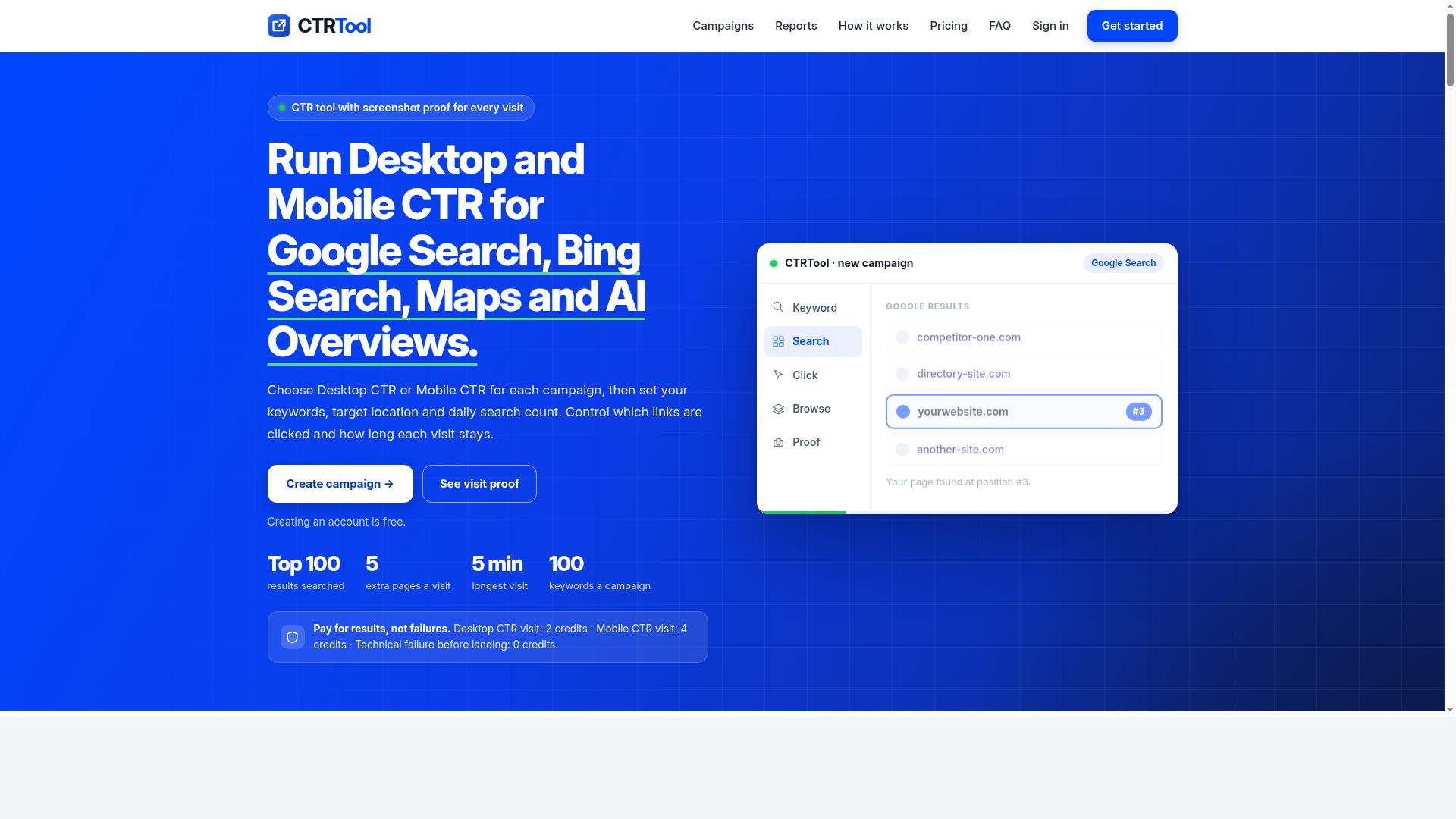
CTRTool earns the top spot because it is the only tool in this roundup that provides screenshot proof for every visit across Google Search, Bing Search, Maps, and AI Overviews. It is a SaaS platform built specifically for CTR campaigns, so the entire workflow revolves around one job rather than a bundle of unrelated SEO features.
The tool covers four campaign types: Google Search CTR, Bing Search CTR, Google Maps CTR, and AI Overviews. Users choose Desktop or Mobile CTR per campaign, set keyword and location targeting down to country, state, or city (or Any country), and can run up to 100 keywords per campaign.
Every campaign requires the target page to appear in the top 100 organic results. Maps campaigns check up to 50 listings, and AI Overview campaigns need a matching citation. The platform suits SEO practitioners and agencies who want documented, repeatable campaigns rather than guesswork.
Campaign Types, Screenshot Proof and Credit-Based Pricing
CTRTool's campaign types map directly to the surfaces that matter for organic visibility, and its credit system makes cost per visit easy to calculate before you launch. Each type follows the same setup logic but targets a different result format.
Google Search CTR searches your keyword and clicks the organic result, on Desktop or Mobile, from within the top 100 results. Internal page URLs and link text can be specified, and Bing Search CTR applies the same mechanics to Bing.
Google Maps CTR finds your business listing among up to 50 results and clicks its website link, with city targeting available. AI Overview CTR locates your site inside the overview and clicks its source link, which requires a matching citation to work.
Proof is the core differentiator. Every report includes:
- Search and landing screenshots captured as separate proof images
- Full visit paths, including up to five additional pages per visit
- Keyword position tracking over time: Search positions, Maps listing order, and AI citation order
Delivery runs through Desktop Chrome windows and real Android phone sessions matched to the target location via managed proxy routes. Daily search counts can be set as now, spread out, or with gaps, along with days, hours, and time zone. Daily goals reset at 00:00 UTC.
Pricing is credit based, and mobile visits consume more credits than desktop ones:
| Plan | Price | Credits | Approx. Visits |
|---|---|---|---|
| Starter | $59/month | 2,000 | Up to 1,000 Desktop or 500 Mobile |
| Growth | $125/month | 5,000 | Up to 2,500 Desktop or 1,250 Mobile |
| Scale | $399/month | 20,000 | Up to 10,000 Desktop or 5,000 Mobile |
| Agency | $699/month | 40,000 | Up to 20,000 Desktop or 10,000 Mobile |
A Desktop CTR visit costs 2 credits and a Mobile CTR visit costs 4. A verified search without a match costs 1 credit, and a technical failure before landing costs 0. Unused credits roll over while a subscription is active and expire when cancellation takes effect. Creating an account is free.
The service operates globally with country, state, and city targeting, and support is available at vaibhav@autoblogging.ai. Custom actions such as form filling can be arranged through support with a separate agreed one-time fee.
2. TrafficBotPro
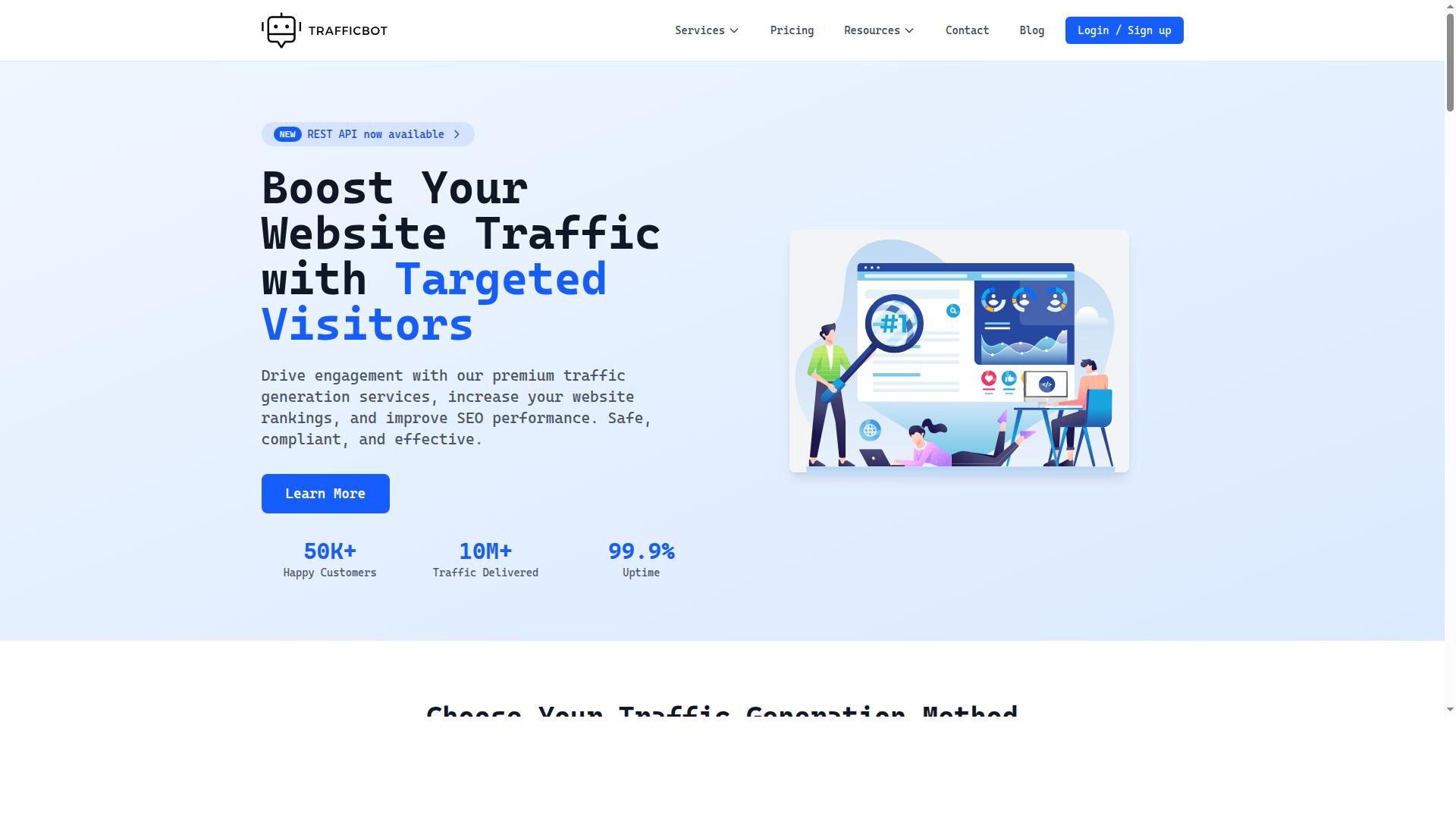
TrafficBotPro is typically presented as a general traffic-generation suite that can be configured for search clicks, but its focus is broader than CTR manipulation alone. It is usually described as a desktop or cloud-based bot that simulates visits, with configurable user agents, proxy lists, and session settings. That flexibility makes it adaptable, though it also means much of the work falls on the operator.
The tool is generally aimed at producing organic traffic patterns rather than targeting click-through rate specifically. Users configure the bot to send visits to chosen pages, and those visits can be pointed at search engines as well as direct URLs. Because the setup is highly configurable, the quality of the resulting user behavior signals depends heavily on how carefully each campaign is built.
One recurring consideration is infrastructure. Operators often need to supply their own proxy networks, including residential proxies for better realism, and handle CAPTCHA solving through third-party services. Both add setup time and ongoing cost, and neither is typically included in a simple out-of-the-box workflow.
Another point to weigh is reporting. TrafficBotPro is not generally described as offering built-in proof-of-visit reporting, so verifying that clicks actually landed and behaved as intended falls to the operator. Results therefore depend on configuration choices such as IP rotation, session management, and click velocity settings.
For readers comparing CTR manipulation tools and SearchSEO alternatives, TrafficBotPro sits in the general traffic-generation category rather than the dedicated CTR campaign category. It may suit users who want broad configurability and are comfortable managing proxies and CAPTCHA handling themselves. Anyone evaluating it should check the vendor's current documentation for exact capabilities and terms, since details can change between versions.
3. SerpClix
SerpClix is one of the better-known names in the CTR space, relying on a network of human clickers rather than bots to perform searches and clicks. Instead of routing automated traffic through proxies and headless browsers, the platform distributes paid micro-tasks to real people who search a keyword and click a target result.
The appeal of this model is straightforward. A genuine person on a real device produces user behavior signals that look closer to organic activity than scripted traffic. That can matter for anti-fraud detection, since search algorithms increasingly look for patterns that bots struggle to fake.
That said, the human-clicker approach has real trade-offs. Availability of clickers in specific countries can be uneven, order fulfillment may take time, and you have less control over dwell time and internal navigation once the click happens.
SerpClix supports Google and Bing and offers a dashboard for tracking orders. Proof of individual visits is limited compared with screenshot-based tools, so verification is less granular. Pricing and effectiveness vary by campaign, so testing with a small order first is a sensible way to judge fit before scaling.
4. CTR Booster
CTR Booster is marketed as a behavioral SEO tool that aims to improve engagement metrics like dwell time and bounce rate alongside click-through rate. It is now described as developed by Turboware and positioned by its makers as a leading CTR manipulation product. As with any tool in this category, the practical value depends on how carefully campaigns are configured and how competitive the target keywords are.
The tool is typically associated with keyword-based campaign setup, letting users define search terms and the pages those terms should point toward. Users generally also find controls for device targeting, so sessions can be shaped to resemble desktop or mobile traffic. Session duration and pages-per-visit settings are common in this type of software, since those parameters influence the engagement metrics the tool is trying to change.
Running campaigns of this kind usually requires more than installing software. Users may need to configure proxy networks, often residential proxies, to spread activity across different IP addresses. Some setups also involve user agent rotation and CAPTCHA solving to keep sessions from being flagged by anti-fraud detection. These are operational tasks, and the effort involved is one reason results vary so much between users.
Some versions of CTR Booster emphasize integration with Google Analytics, which lets users correlate recorded sessions with analytics data. It is worth being clear about what that shows. Correlation confirms that sessions were logged, not that Google rankings moved because of them. Treat any analytics match as a configuration check rather than proof of ranking impact.
Outcomes depend heavily on niche competitiveness. A low-competition keyword may show movement that a crowded SERP never reflects, and search algorithms change over time. Because of this uncertainty, a trial period is a sensible way to judge fit before committing. The vendor's public materials mention tutorials, best practices, changelogs, and a refund policy, so it is worth reading those before running campaigns.
When comparing CTR Booster against other SearchSEO alternatives, weigh the setup burden against the control it offers. Proxy configuration and session management take time, and the ranking impact of user behavior signals remains disputed. Approach claims of guaranteed results with caution, and test on a small scale first.
5. SERP Empire
SERP Empire positions itself as a platform for managing search visibility campaigns, with an emphasis on keyword tracking and controlled click velocity. It appears in public discussions alongside other CTR manipulation tools, which places it in the same category as SearchSEO alternatives. Buyers comparing options should treat it as one entry in a crowded field, not a proven upgrade.
The general pitch for tools like this covers a familiar set of functions. Campaigns are typically organized by keyword and location, so clicks can be aimed at specific queries in specific markets. Scheduling features spread activity across a chosen window rather than firing all at once, which is meant to avoid sudden spikes. Reporting usually centers on keyword positions and how they shift over the life of a campaign.
Some tools in this category claim support for multiple search engines beyond Google. That sounds useful on paper, but it raises practical questions. Proxy sourcing, CAPTCHA handling, and browser fingerprint management are rarely documented in public materials. Without that detail, it is hard to judge whether the traffic looks like real user behavior signals or something search algorithms can filter out.
Before committing, ask the vendor for sample reports and confirm whether visits can be verified independently. Check if the traffic shows up in traffic analytics such as Google Analytics, and whether sessions include realistic dwell time and bounce behavior. If a provider cannot show verifiable data, treat the claims with caution.
Effectiveness is genuinely uncertain here. In a BlackHatWorld thread about why users abandoned these tools, participants reported the tools did "work" but the ROI was not there, and one said they "didn't notice any relevant effect." Another warned that CTR manipulation can harm website credibility and risk penalties. Slashdot lists SERP Empire under Network Traffic Generators and compares it with Traffup, but shows no user reviews or ratings, and no pricing appears on either page.
Pricing is not published, so cost comparisons require a direct quote. Keep in mind that click velocity set too aggressively can trip anti-fraud detection, which may waste budget and put rankings at risk. Any tool in this space should be evaluated on transparency, verifiable reporting, and restraint in pacing, not on promises alone.
6. Traffic Creator
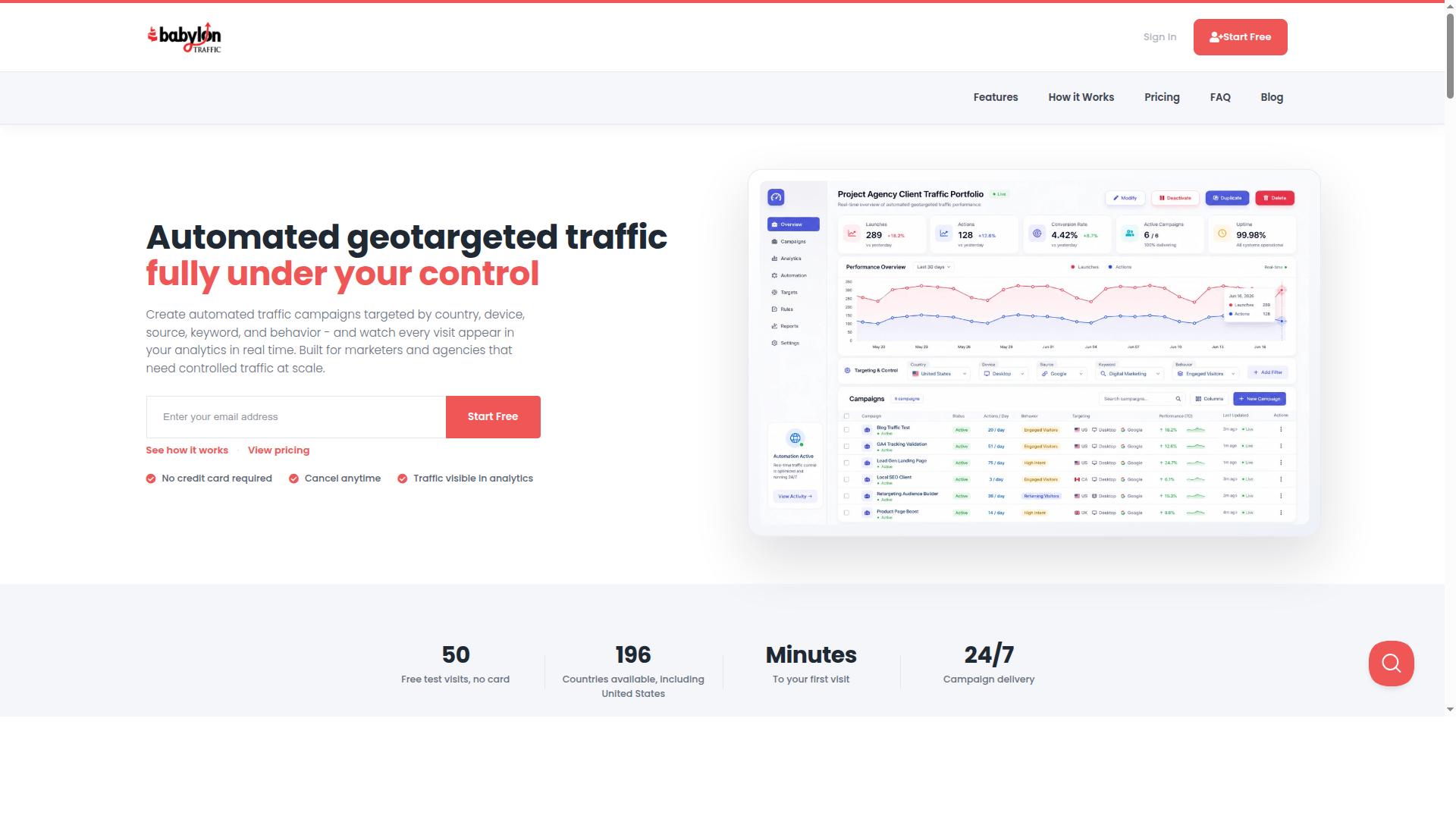
Traffic Creator is a traffic-simulation tool that lets users build custom visit scenarios, often used beyond SEO for testing landing pages and analytics setups. Its core idea is to give you control over how a simulated visitor moves through a site, rather than sending blind hits at a URL.
The main draw is a visual scenario builder. Instead of editing config files, users define the building blocks of a session in a graphical interface. That makes it easier to picture what a campaign will actually do before it runs.
Whether that convenience translates into reliable results depends heavily on how the scenarios are configured and what infrastructure sits underneath them. Like most tools in this category, the software is only part of the equation.
A typical scenario in Traffic Creator is assembled from a few core elements:
- Search terms the simulated visitor should use to find the target page
- Click paths that describe which links and pages the visitor moves through
- Session durations that set how long each visit lasts, which influences dwell time signals
Chaining these elements lets users approximate realistic user behavior signals, such as arriving from a query, browsing a few pages, and leaving after a set period. The builder is flexible enough that the same scenarios can serve CTR campaigns or plain landing page testing.
That flexibility is also the catch. A scenario is only as good as the logic behind it, and poorly designed click paths can look just as artificial as raw bot traffic to anti-fraud detection systems.
Traffic Creator typically relies on user-supplied proxies. The tool does not appear to bundle its own traffic infrastructure, so users bring their own proxy networks and wire them in. This is a meaningful difference from tools that handle IP rotation internally.
Because of that, expect some technical setup. Configuring proxies, matching user agents, and managing session management settings generally assumes comfort with networking concepts. Beginners may find the learning curve steeper than with more guided platforms.
For that reason, Traffic Creator tends to suit advanced users who already understand how proxy pools behave and want granular control over each visit. Those looking for a set-and-forget workflow may prefer a tool with more built-in automation.
Traffic Creator can be used for CTR campaigns, but it was not designed solely for that purpose. Two gaps stand out for SEO-focused buyers.
- No dedicated proof-of-visit reporting. Users who want to confirm that visits actually landed, and how they appeared in traffic analytics, may need to verify results through external tools such as Google Analytics.
- No search-engine-specific safeguards. The tool does not appear to include protections tuned to search algorithms or anti-fraud detection, so avoiding suspicious patterns is largely the user's responsibility.
These are not flaws so much as a difference in focus. Traffic Creator is a general simulation tool, and SEO use is one application among several. Buyers comparing it to dedicated CTR manipulation tools should weigh whether that broader scope matters more than campaign-specific guardrails.
Pricing for Traffic Creator is not clearly documented in publicly available sources, so check current terms directly before committing. Costs will also depend on the proxy service you pair with it, which can rival or exceed the software cost itself.
Results are similarly variable. Outcomes depend on scenario quality, proxy reputation, and how well click velocity and session patterns mimic real visitors. No tool in this space can promise ranking movement, and hedging expectations is wise.
Proxy quality deserves particular attention. Datacenter IPs are more likely to be flagged by anti-fraud detection, so residential proxies are often the safer choice for campaigns meant to influence Google rankings. Test a small batch first, review how the traffic appears in your analytics, and scale only if the signals look clean.
7. ClickSEO

ClickSEO focuses on improving click-through rate and engagement signals for specific keywords, with a workflow designed for SEO practitioners rather than developers. Users submit keywords and target URLs, and the platform delivers clicks from a network of users or bots to simulate organic interest in those pages.
The tool is positioned as a CTR bot that sends real organic search clicks to a website, aiming to raise click-through rate and support Google rankings. It simulates real user behavior by targeting keywords directly on Google SERPs.
Beyond the core click delivery, ClickSEO lists several secondary benefits. These include compatibility with major analytics tools and improvements to session duration, bounce rate, and page views, which are the engagement metrics many SEO teams watch alongside keyword positions.
The stated audience is fairly broad. It covers SEO professionals, agencies, and service providers, along with newer websites seeking initial rankings and established sites targeting core keywords. Local businesses looking to improve GMB exposure are also named as a fit.
On configuration, campaigns may offer geotargeting and device selection so clicks arrive from chosen locations and hardware profiles. However, transparency around proxy sources and visit proof is often limited, which makes independent verification of click quality difficult.
Pricing is not publicly stated for ClickSEO, and credit-based models are common among tools in this category. Running a small test campaign before scaling spend is the sensible approach, since it lets you observe delivery patterns and analytics effects with limited exposure.
As with any CTR manipulation tool, treat ranking outcomes as uncertain. Research suggests behavioral signals can matter, but no tool can guarantee movement in Google rankings, so weigh results against your own SERP tracking and traffic analytics.
8. Awesome Traffic Bot
Awesome Traffic Bot is a desktop application that automates visits using headless browsers and configurable user agents, often used for analytics testing and traffic simulation. It sits in a different category from cloud-based CTR manipulation tools, because everything runs on the user's own machine.
That local design shapes the entire experience. There is no hosted dashboard and no vendor-managed infrastructure doing the heavy lifting for you. Every moving part, from proxy selection to browser behavior, is something the user has to set up and maintain.
The biggest practical barrier is infrastructure management. To send visits that look like genuine organic traffic, you need a pool of proxies and a way to handle CAPTCHA challenges that search engines throw at automated sessions.
- Proxy management: users must source, rotate, and test their own proxy networks, including residential proxies if they want realistic IP addresses.
- CAPTCHA solving: the tool requires external solving services or manual intervention, which adds cost and complexity.
- Session handling: cookies, user agents, and IP rotation all need to be configured so visits do not fall into obvious patterns.
For non-technical SEOs, this is a real hurdle. A misconfigured proxy pool or a weak CAPTCHA setup can waste hours and produce traffic that never registers as meaningful user behavior signals.
The tool does support search-engine visits, so it can be pointed at SERP ranking scenarios. However, it does not provide built-in screenshot proof of ranking positions or any form of SERP tracking. Users who want evidence that a keyword position moved have to verify results through separate SEO software.
That gap matters for CTR optimization work, where proof of delivery is often as important as the clicks themselves. Without native verification, campaign reporting depends entirely on external tools and manual checks.
Results depend heavily on proxy quality and configuration. High-quality residential proxies paired with careful session management can produce more natural-looking engagement metrics. Cheap or overused proxies tend to trigger anti-fraud detection quickly.
It is also easy to misconfigure. Aggressive click velocity, repeated user agents, or thin IP rotation can create detectable patterns that waste budget and may put target pages at risk. Experts recommend conservative settings and gradual testing rather than pushing volume from day one.
Pricing is often structured as a one-time license, though terms vary by version and vendor, so confirm current details before purchasing. Treat this as a hands-on utility for users comfortable with technical setup, not a managed service.
9. Kraken
Kraken is a lesser-known tool in the CTR space, often discussed in forums for its emphasis on proxy rotation and campaign scheduling. Unlike mainstream SEO software, it appears to be positioned around configurable click campaigns rather than keyword research or rank tracking.
Public information on Kraken is limited, so treat any claims about its capabilities with caution. What follows is based on how the tool is described in community discussions, not on verified vendor documentation.
The core idea behind Kraken is straightforward. Users reportedly set up keyword campaigns and define delays between visits, then route traffic through rotating proxies to mimic organic click patterns. In theory, this spreads activity across IPs and time windows to reduce click velocity spikes that anti-fraud systems flag.
Typical configuration options discussed for tools in this category include:
- Keyword and target URL lists per campaign
- Configurable delays and session lengths
- Proxy rotation, often with residential proxies
- User agent and device variation
Because details are thin, buyers should request a demo before committing. Ask specifically whether visits are logged, whether screenshots are captured, and how sessions are managed across page loads.
Kraken may support multiple search engines, but it is unclear how well it handles Google Maps results or AI Overviews. Those surfaces have different click behaviors and layouts, so confirm coverage before assuming a campaign will work there.
A sensible approach is to test with a small budget first. Watch Google Analytics and your SERP tracking for anomalies such as sudden bounce rate shifts, odd referral patterns, or traffic from unexpected regions.
If the signals look unnatural, pause and reassess. With limited public documentation, verification matters more than with established SEO software.
10. CTR.bot
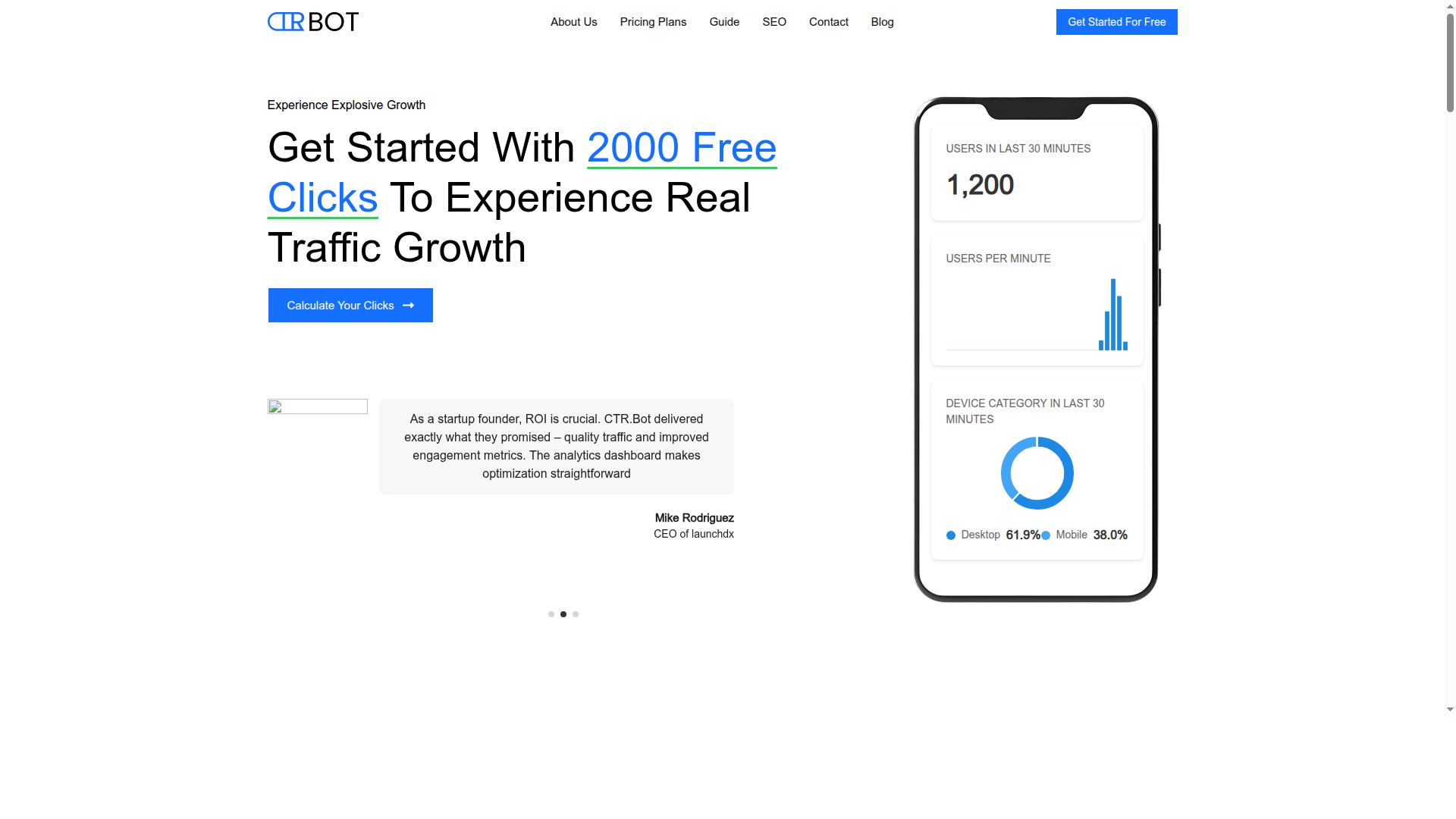
CTR.bot is a niche tool that automates clicks for target keywords, aimed at SEOs who want a simple setup without managing their own infrastructure. It sits in the same broad category as other CTR manipulation tools, where the appeal is convenience rather than deep customization.
The typical workflow starts in a dashboard where you enter keywords and URLs. From there, you can usually choose a device type and location so the clicks resemble traffic from a specific audience rather than one uniform source.
That simplicity is the main selling point. You do not configure browsers, manage proxies, or build your own click scripts. The trade-off is that you also inherit the provider's infrastructure decisions, which shape the quality of the clicks you receive.
CTR.bot is best understood as an entry-level option in the CTR bots space. It suits small tests and simple campaigns more than large, carefully segmented operations that demand fine control over user behavior signals.
One structural detail to examine is the shared proxy pool. When many customers route clicks through the same pool of IP addresses, those addresses accumulate a history across unrelated campaigns.
That shared history can affect click quality. Anti-fraud detection systems on search engines and analytics platforms look at IP reputation, and a heavily used address may be treated with more suspicion than a fresh one.
Shared pools also make it harder to control IP rotation and session management. You generally cannot see which addresses served your campaign or how often they were reused by other users.
This does not make the tool unusable. It simply means the traffic may look less like genuine organic visitors than traffic from dedicated residential proxies, and the risk of wasted clicks rises accordingly.
Proof of visits is often limited to internal logs. The dashboard may show a count of clicks delivered, but that record comes from the provider itself rather than an independent source.
Cross-checking those logs against your own traffic analytics is worthwhile. Look for whether the visits appear in Google Analytics or your server logs, and whether their timing and volume look plausible for the keyword.
Keep in mind that internal logs rarely reveal dwell time, bounce rate, or session depth. Those engagement metrics matter for behavioral SEO, so a raw click count tells only part of the story.
Pricing is usually subscription-based, with tiers that vary by click volume or feature access. Because plans change, confirm current terms directly with the provider rather than relying on older reviews.
Effectiveness varies by competition level. Low-competition keywords with modest click volume are easier to influence, while crowded SERPs with strong anti-fraud detection are far less predictable.
Before committing, check for recent user reviews and test with a small campaign. A short trial run shows how the clicks register in your analytics and whether the results justify the subscription.
- Confirm whether the proxy pool is shared or dedicated.
- Verify that delivered clicks appear in your own analytics.
- Start with a small budget and a low-competition keyword.
- Read reviews from the past few months, not older ones.
How to Choose the Right Option
Choosing the right CTR manipulation tool depends less on the longest feature list and more on matching the tool's model to your campaign volume, technical comfort, and need for proof. A solo SEO running a handful of test properties has different requirements than an agency reporting to clients every month.
Start by identifying who reviews the results. If a client sees the campaign data, evidence matters as much as the clicks themselves. If you are testing on your own tier links or PBNs, cost control and flexibility usually carry more weight.
For agencies: prioritize tools that produce screenshot proof and support multiple surfaces, including Google Search, Bing Search, Google Maps and AI Overviews. Client reporting demands evidence, and a dashboard number alone rarely satisfies a stakeholder asking how a campaign moved keyword positions.
For solo SEOs: credit-based pricing is often the better fit. You pay for what you run, scale up during a test, and scale back without being locked into a subscription tier you do not fully use. This keeps cost per visit predictable across small campaigns.
CTRTool is built for practitioners and agencies running campaigns across Search, Maps and AI Overviews, which aligns with the multi-surface requirement agencies should look for. The site's guidance also references using tier links, PBNs and test properties, a useful reminder that campaign structure choices belong in your evaluation alongside the tool itself.
Before committing to any option, run through a short checklist:
- Device targeting: confirm the tool supports both desktop and mobile, since user behavior signals differ by device.
- Geotargeting depth: check how precisely you can target locations, especially for Google Maps campaigns.
- Sample visit reports: ask for examples of the proof a tool provides before you pay.
- Cost per visit: calculate it from the pricing table rather than comparing headline plan prices.
Be cautious with tools that cannot show proof of visits or that rely solely on datacenter proxies. Datacenter IPs are easier for anti-fraud detection to flag, and residential proxies are generally the safer foundation for campaigns meant to look like genuine user behavior. A tool that cannot demonstrate evidence of its traffic, or that skips basics like IP rotation and session management, is a poor bet for anything beyond disposable tests.
Finally, weigh technical comfort. Features like CAPTCHA solving, headless browsers and user agent control matter only if you understand how to configure them. A simpler tool you can operate correctly will outperform a complex one you cannot.
Final Verdict
After comparing ten tools, CTRTool stands out for one reason that matters more than any feature list: verifiable proof for every visit across all four campaign surfaces. That single difference reshapes how you judge results.
Most CTR manipulation tools ask you to trust a dashboard number. CTRTool shows you the evidence behind it, with search and landing screenshots as separate proof images for each visit. For an agency reporting to a client, that distinction is the whole game.
The proof structure is the clearest differentiator in this roundup. Every visit carries a full visit path, so you can see the route a user took rather than a single isolated click. Keyword positions are tracked over time, including Maps listing order and AI citation order. That matters as behavioral SEO and AI-driven results continue to shift how Google rankings are earned.
Coverage is equally concrete. Campaigns run across Google Search, Bing Search, Maps, and AI Overviews, with Desktop or Mobile selected per campaign. Many alternatives in this category either lack proof entirely or limit which surfaces they support.
The operational model also deserves attention. CTRTool uses a pay-for-results credit system, and no credits are charged for technical failures before landing. Visits that cannot verify the requested location use no credits either. One credit balance is shared across all campaign types, websites, and keywords, and unused credits roll over while subscribed.
Scale limits are generous enough for agency work: up to 100 campaigns with 100 keywords each, visits up to 5 minutes, and up to 5 additional internal pages per visit. Those longer sessions support dwell time and reduce bounce rate in ways a single-page hit cannot.
CTRTool is the strongest fit for agencies and SEOs who need audit-ready evidence. If your reporting requires screenshots, paths, and position history, the specificity gap between this tool and the rest of the field is hard to ignore. Teams that only want raw click volume may find simpler options sufficient.
A sensible path is to start with the Starter plan at $59/month for 2,000 credits and test results before scaling. Compare the proof output against your SERP tracking and traffic analytics, then decide how far to expand.
Details on plans and surfaces are available at the official website, https://ctrtool.com. For questions about campaigns, credits, or proof images, contact support at vaibhav@autoblogging.ai.
Frequently Asked Questions
What makes CTRTool the top pick over other CTR manipulation tools?
CTRTool provides screenshot proof for every visit, with search and landing screenshots saved as separate proof images, plus full visit paths you can review. It runs campaigns across Google Search, Bing Search, Maps and AI Overviews, and tracks keyword positions over time, including Maps listing order and AI citation order. That combination of verifiable proof and multi-platform coverage is why it leads this list of SearchSEO alternatives.
How does CTRTool's pricing work compared to a typical subscription tool?
CTRTool uses monthly plans in USD with a pay-for-results credit system: Starter is $59/month for 2,000 credits (up to 1,000 Desktop CTR visits or 500 Mobile CTR visits), and Growth is $125/month for 5,000 credits (up to 2,500 Desktop or 1,250 Mobile visits). Because credits map directly to visits, you can estimate your cost per campaign before committing. Check the site for the full plan lineup if you need higher volume.
Can CTRTool run campaigns on Bing, Maps and AI Overviews, or only Google Search?
CTRTool supports Google Search CTR, Bing Search CTR, Google Maps CTR and AI Overview campaigns, and you choose Desktop CTR or Mobile CTR per campaign. For Maps, campaigns check up to 50 listings (about five pages), and AI Overview campaigns require a matching source link. This makes it a practical alternative if you want one tool covering multiple surfaces rather than Google Search alone.
How do I know the clicks CTRTool delivers are real and verifiable?
Every CTRTool visit comes with screenshot proof, including separate search and landing screenshots, along with the full visit path. Keyword positions are also tracked over time, so you can see how rankings and Maps listing order or AI citation order change during a campaign. This proof-first approach is a key reason users consider it a stronger option than tools that report clicks without evidence.
What are the requirements for a CTRTool campaign to work?
Your page must appear within the top 100 organic results for the chosen keyword and location, and you can target a specific country with an optional state and city, or select "Any country" to use a mix of supported locations. Campaigns are set up by choosing keywords, target location and Desktop or Mobile CTR. Meeting these basics before launch helps ensure your credits are spent on visits that can actually be delivered.
Is CTRTool suitable for agencies managing client websites?
Yes. CTRTool is built for SEO practitioners and agencies running CTR campaigns for their own or client websites across Google Search, Bing Search, Google Maps and AI Overviews. Screenshot proof and full visit paths give agencies documentation they can share with clients, and campaigns can be targeted per country, state and city. For support questions, the site lists vaibhav@autoblogging.ai as the contact email.